


How BRiDDG Works: A Step-by-Step Walkthrough for Students
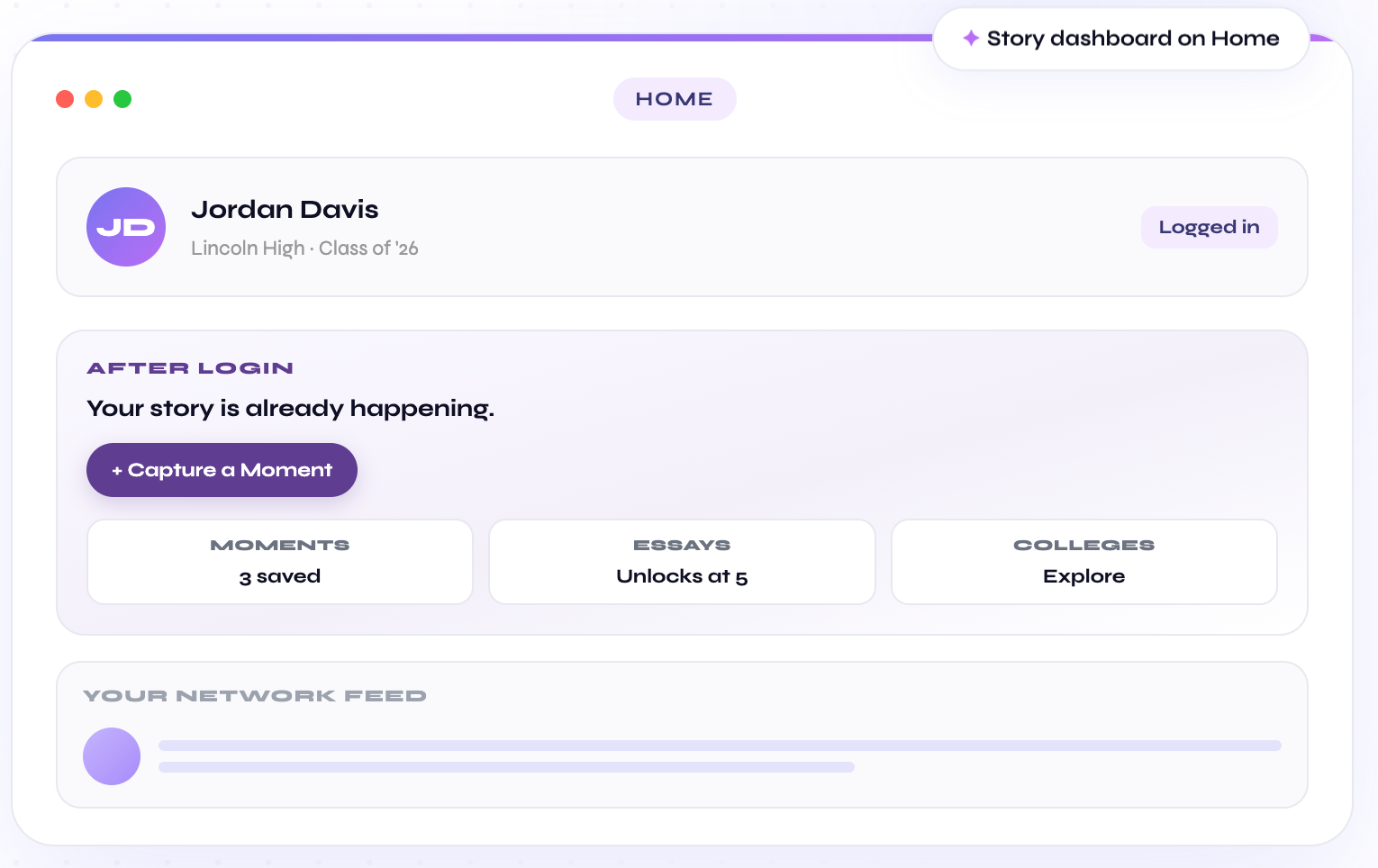
BRiDDG turns what you already do into a college profile, college matches, career paths, and essays written in your own voice. You start with real experiences, not a perfect resume. This walkthrough shows each step, what you get from it, and where your information goes.
You need a phone or computer and about five minutes to start. GPA and test scores are optional.
Step 1: Create your free account
Sign up at app.briddg.com. BRiDDG is free to start. It is built for high school students on every path, including four-year, two-year, trade, and career and technical education routes.
If you are under 13, BRiDDG asks a parent or guardian for consent before your account is created. Our Privacy Policy explains what we collect and why.
Step 2: Capture a moment
A moment is one real thing you did. A shift at work. Picking up a sibling every afternoon. A video you learned to edit. Add it in seconds. A photo and a note are optional.
Capture the detail while it is fresh: what you did, how often, and one specific thing that happened. Our guide on how to keep track of activities for college applications shows what a useful entry looks like.
Tip: Not sure what counts? Jobs, family responsibilities, and self-taught skills all can. See what counts as an extracurricular activity.
Step 3: Build your profile and see your strengths
As you save moments, BRiDDG looks for patterns across them and shows the strengths they point to. The picture gets sharper as you add more. One entry is a clue. Several entries that point the same way are a pattern worth exploring.
You stay in control of the interpretation. If a strength does not feel accurate, it is a question to look into, not a label. The 12 everyday experience examples show how an experience becomes evidence and a next step.
Step 4: Explore colleges with College Matching
College Matching suggests schools based on what you value and want, and explains why each one fits. It includes strong-fit schools beyond the usual names. You can save colleges and compare them side by side.
Step 5: Explore careers with Career Exploration
Career Exploration combines the moments you saved with a few quick questions about how you think and what you enjoy. It suggests careers that fit you, including trade and hands-on paths, with real salary ranges and the steps to get there. It is a starting point for exploration, not a verdict on your future.
Step 6: Write your essays with Essay Architect
Essay Architect builds from your saved moments, organized by application prompt. It guides you line by line and shows where a draft is strong and where to go deeper. It never writes the essay for you.
Colleges set their own rules on AI tools. Check each school’s policy and make sure what you submit is your own work.
Step 7: Invite a parent, if you want
Parent View lets a parent or guardian see your progress and strengths. It is read-only. Your essay text stays private unless you choose to share it. You decide whether to invite anyone, and you can remove access at any time.
Free and Premium
| Plan | Price | What it includes |
|---|---|---|
| Free | $0 | Start capturing moments and building your profile |
| Premium | $12.99 a month or $99 a year | The full essay, college, and career tools |
You can cancel anytime and keep Premium until the end of your billing period. If cost is a barrier, email briddg@briddg.com. See pricing for details.
For parents and schools
Parents can learn more on the For Parents page. Schools and districts can use BRiDDG with students through a school account, where BRiDDG acts as a school official under FERPA and uses student data only for the school’s educational purpose. See For Schools.
Start free and capture one thing you did this week.
Frequently asked questions
Do I need a high GPA or test scores to use BRiDDG?
No. GPA and SAT or ACT scores are optional on BRiDDG. You start with what you have already done, such as a job, a family responsibility, or a skill you taught yourself.
Does BRiDDG write my college essay?
No. Essay Architect guides you to write your own essay in your own voice, built from the moments you saved. It helps you shape and strengthen a draft. It never writes the essay for you.
Can my parents see my BRiDDG account?
Only if you invite them. Parent View is read-only and shows your progress and strengths. Your essay text stays private unless you choose to share it, and you can remove a parent's access at any time.
How much does BRiDDG cost?
BRiDDG is free to start. Premium is $12.99 a month or $99 a year and unlocks the full essay, college, and career tools. If cost is a barrier, email briddg@briddg.com.
About the author
Sara Bavar is the Executive Co-Founder of BRiDDG. She holds a Master’s in Social Change and Innovation from the University of Southern California (USC). Her background is in social change and brand building, focused on making tools that reach the students who are usually left out.
This guide follows our editorial policy. Product details reflect BRiDDG as of November 4, 2026. Spot an error or an outdated policy? Email briddg@briddg.com and we will review it.